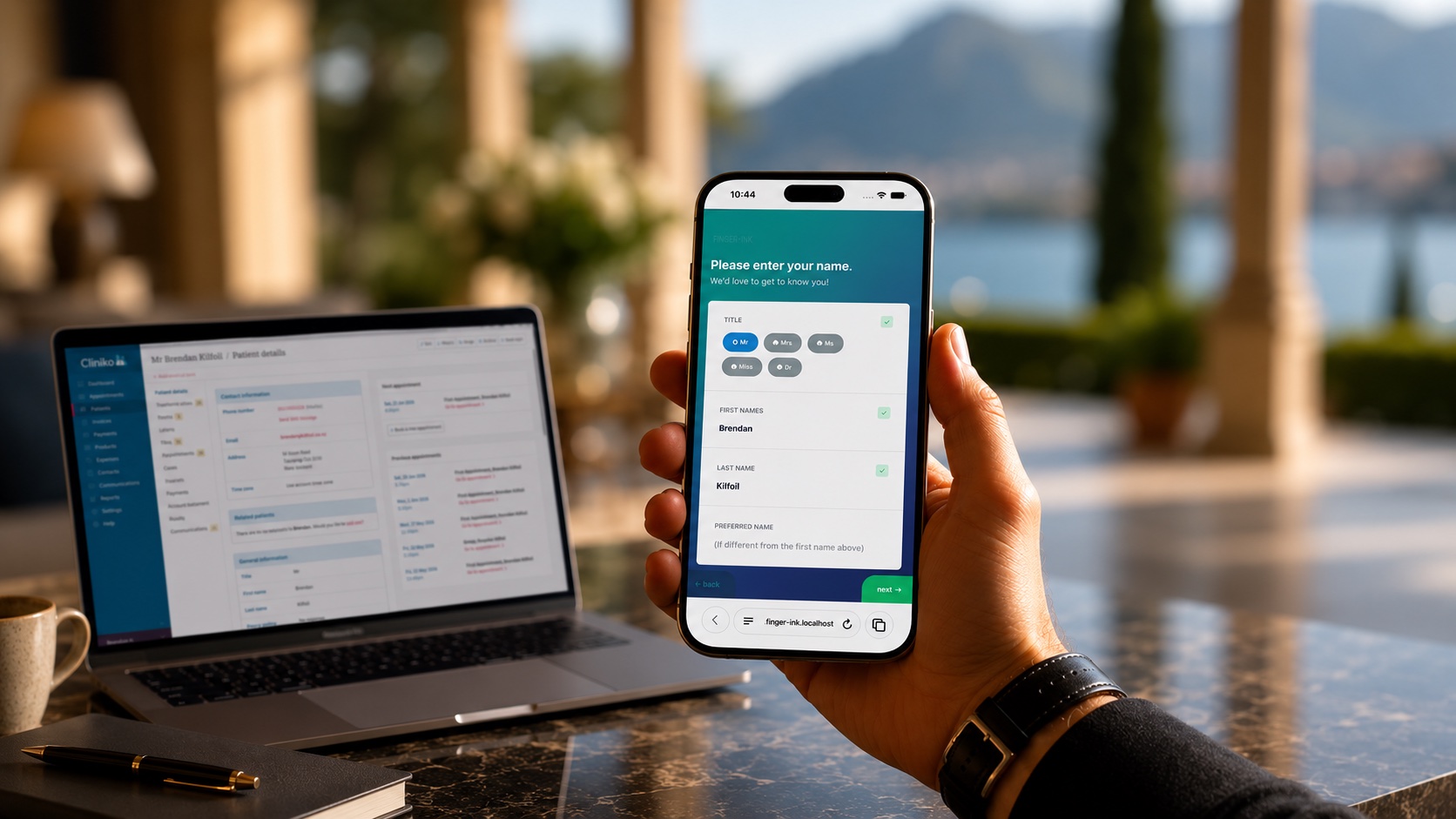
Give every patient a professional, branded intake experience and give your team the hours back they spend on manual form admin. Conditional logic, body charts, digital signatures, and full Cliniko sync, all set and forget. Made for Cliniko.
No credit card. 7 days. Connect your Cliniko account and you're live.
Finger-Ink has been providing intake, consent and PROMS forms for allied health clinics since 2015 — prior to appointment, and in-clinic.
Cliniko’s built-in forms do the basics well. They collect patient information, attach it to the record, and cost nothing extra. For a new clinic getting started, that’s often enough.
Then your clinic grows. You want forms that reflect your brand. You need conditional logic so a patient with a funding path sees different questions to a private patient. You want body charts for physio assessments, calculation fields for outcome scoring, and a form experience that patients actually comment on — for the right reasons.
That’s where Cliniko’s native forms stop.
Cliniko’s native forms have no custom theming, no conditional visibility, no calculation fields, no body charts, no video fields, and no identity verification. They work — but probably not in the way your growing clinic needs.
You've invested in your brand, your space, and your standard of care. Your patient intake should reflect that investment.
I love the fact that the form looks designed rather than an afterthought designed by a hospital clinician.
— Allied health clinic ownerFinger-Ink is purpose-built for Cliniko. Every form you create syncs directly to your patient record — custom fields, referral sources, gender, consent, privacy policy, and more. Not as a PDF attachment. Field by field, into the right place in Cliniko. Once your forms are live, they just work. No daily maintenance, no manual intervention, no chasing.
Custom themes with your clinic’s logo, colours, and visual style applied to every form and every patient touchpoint. Your intake experience looks considered, not default. Patients notice. They comment on it. This is the most common reason clinics move from Cliniko’s native forms to Finger-Ink — the difference is visible from the first interaction.
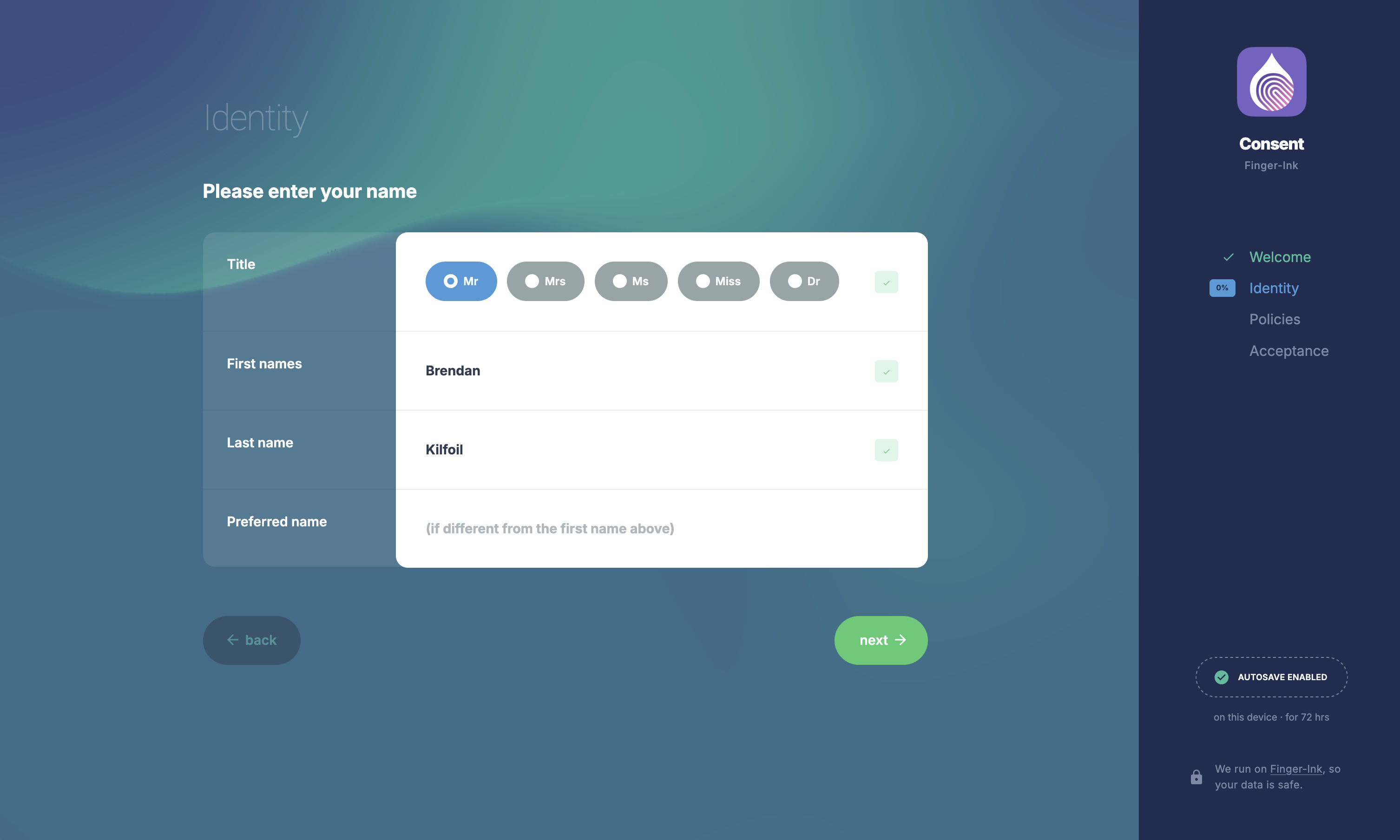
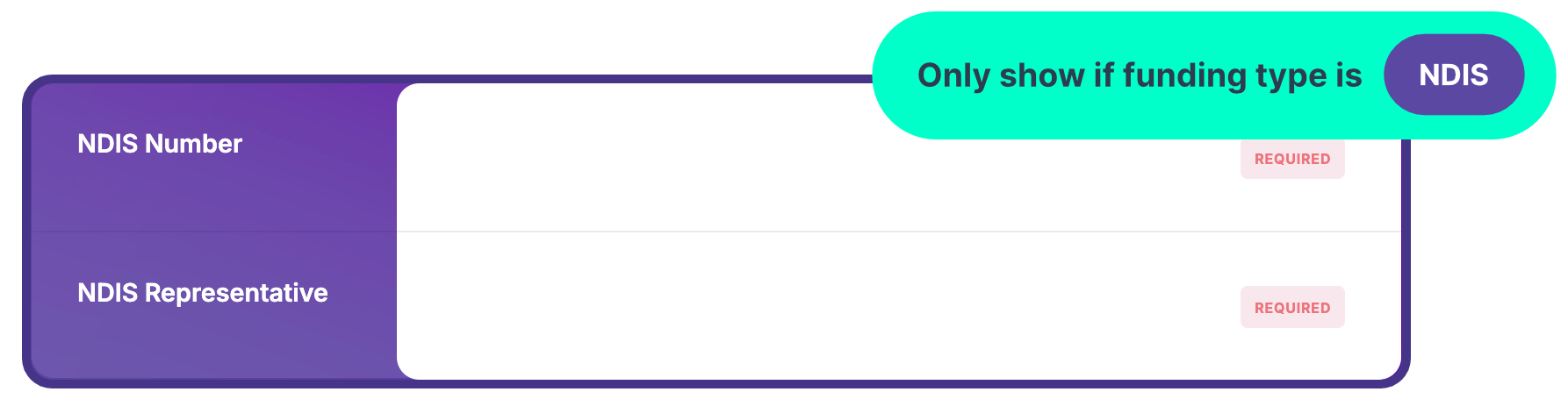
Build forms that adapt. A patient on an NDIS funding path sees questions relevant to NDIS. A private patient sees different fields. A new patient gets the full intake. A returning patient skips what you already have. No irrelevant questions, no confusion, no wasted time in the waiting room.
Score patient questionnaires automatically. Whether it’s a pain scale, a functional assessment, or a psychometric outcome measure, Finger-Ink calculates the result and syncs it to Cliniko. Your practitioners get a score, not a stack of numbers to add up between patients.
Patients tap directly on an anatomical chart to identify areas of pain, injury, or concern. The result is visual, specific, and synced to their Cliniko record. Particularly valuable for physiotherapy, chiropractic, osteopathy, and podiatry clinics where location matters as much as description.
Digital consent forms for privacy policies, treatment consent, and terms and conditions — all signed and attached to the patient record in Cliniko. Privacy-policy consent lands as a structured field on the record, where you can actually report on it, not buried in a PDF. One less piece of paper. One less compliance risk.
Embed video directly into a form. Use it to show patients a treatment explanation before they sign consent, or walk them through what to expect during their first visit. The video plays within the form experience — no external links, no context switching.
Finger-Ink can verify a patient's identity before pre-populating their details from Cliniko — a quick code to their email confirms it's really them. The right patient fills in the right form: no duplicate records, no data entry errors. And progress saves automatically, so a patient who steps away picks up right where they left off.
Form responses land where they belong in Cliniko. The fields you map — standard or custom — update the patient record directly; everything else writes into the treatment note, with a full PDF on file too. No re-keying, no hunting through attachments. Over 1.5 million forms processed across 550+ clinics, without your team needing to think about it.
Let's look at some of the differences and similarities between the two.
| Capability | Cliniko native forms | Finger-Ink for Cliniko |
|---|---|---|
| Custom branding — colours & logo | logo only | logo, colours & style |
| Conditional visibility logic | show/hide by answer | |
| Calculation fields | auto-score assessments | |
| Body charts | draw-on body charts | |
| Digital signatures | no visibility logic | can use visibility logic |
| Video fields | ||
| Identity verification | via name & dob | via email address |
| Cliniko sync | core only + custom fields | core, referral & more + custom fields |
| iPad kiosk check-in | ||
| Price | included with Cliniko | separate subscription |
Want the full comparison? Read Finger-Ink vs Cliniko native forms: which should your clinic use? →
Luke Anthony runs a three-physio clinic without a receptionist. He tried Google Forms, dismissed Cliniko’s native forms for having no logic and no branding, and left a competing all-in-one platform because the patient-facing forms looked, in his words, terrible.
He found Finger-Ink in the Cliniko connected apps directory eight years ago. He hasn’t logged into the Finger-Ink portal in six months. There hasn’t been anything to fix.
I’d rather pay for two specialist subscriptions than put a clunky form in front of a patient.
— Luke Anthony, Owner & Principal Physiotherapist, Richmond RehabSebastian Swarbreck built PHYX with a deliberate market position: premium clinical experience, accessible price point. Cliniko’s native forms didn’t deliver the look and feel his clinic needed. He found Finger-Ink in the Cliniko integrations directory, set it up in about an hour, and sent a test form to a physiotherapist friend. The friend emailed back calling it a standout differentiator. Sebastian committed on the spot.
He now considers Finger-Ink a competitive advantage he’d rather his competitors didn’t discover.
Finger-Ink helps us deliver that premium experience right from the start.
— Sebastian Swarbreck, CEO & Co-Founder, PHYX PhysiotherapyGenerate an API key in your Cliniko settings, paste it into Finger-Ink, and you’re connected. Your patient fields, referral sources, and custom fields are all available to map into your forms. Most clinics are connected within ten minutes.
Start from a template or build from scratch. Add your clinic’s branding, set up your conditional logic, map your fields to Cliniko, and preview the result. Use the form builder to create intake forms, consent forms, outcome measures, or any form your clinic needs. You can also have the Finger-Ink team build your forms for you — just send through what you need.
Send forms to patients before their appointment via a web link — they complete them on any device, at home or in transit. Or set up an iPad in your waiting room as a patient check-in kiosk. Or both. Forms sync to Cliniko automatically. No manual data entry. No chasing.
Once your forms are live, they run themselves. Customers describe Finger-Ink as set and forget — one of our longest-standing customers hasn’t logged into the portal in six months because there’s been nothing to fix. The sync is reliable, the forms are stable, and your team doesn’t need to think about it. It just works.
We are a reception-less clinic and we get compliments on our check-in station every day!
— Finger-Ink customerFinger-Ink serves allied health clinics across physiotherapy, chiropractic, osteopathy, podiatry, psychology, and more. Each discipline has different intake requirements — different assessment tools, different consent language, different regulatory frameworks across Australia, the UK, and New Zealand. Finger-Ink’s form builder handles this depth without requiring you to compromise on how your clinic presents to patients.
Physiotherapy: Body charts for MSK assessment, outcome scoring for validated measures, and discipline-specific intake templates. Physiotherapy is the most common discipline on the platform. Clinics use visibility logic to differentiate between sports injury, post-surgical rehab, and chronic pain pathways within a single intake form.
Chiropractic: Detailed new patient intake with comprehensive medical history capture, consent for manual adjustment and spinal manipulation, and body chart marking for presenting complaints. Solo and small chiropractic clinics are among Finger-Ink’s highest-retention customer segment.
Osteopathy: Comprehensive case history forms with conditional logic for paediatric vs adult presentations. UK osteopathy clinics use Finger-Ink’s consent and privacy policy fields for GOsC regulatory compliance.
Podiatry: Foot-specific body charts, diabetic risk assessment fields, and ongoing treatment consent. Podiatry clinics in the UK are one of Finger-Ink’s strongest discipline segments, with practices using branded forms as part of a wider digital transformation.
Psychology: Outcome measure scoring with calculation fields, session-by-session tracking forms, and digital consent for sensitive clinical areas. Psychology practices use Finger-Ink’s form depth for validated psychometric instruments that auto-score and sync results to Cliniko.
Multidisciplinary: Clinics with multiple disciplines under one roof use visibility logic to route patients to the right form based on their appointment type. One form set, multiple pathways — no duplication, no wrong forms landing in front of the wrong patient.
Finger-Ink’s native iPad app turns an iPad into a patient check-in kiosk. Patients arrive, check themselves in, complete any outstanding forms, and notify their practitioner — all from the iPad in your waiting room. It’s a purpose-built iOS app with offline resilience, not a browser tab. Forms queue and retry if the connection drops. They never fail silently.
Some clinics use Finger-Ink for forms only. Some use it for the kiosk only. Most use both. The forms you’ve already built work on the kiosk without any extra setup.
Can't find what you're looking for? Get in touch with the team and we'll get back to you fast.
Start a free trial. Syncs with Cliniko in under an hour. No credit card required.

Patient check-in kiosk and intake forms for allied health clinics.