The paper problem
59% of Finger-Ink customers were using paper before they switched.
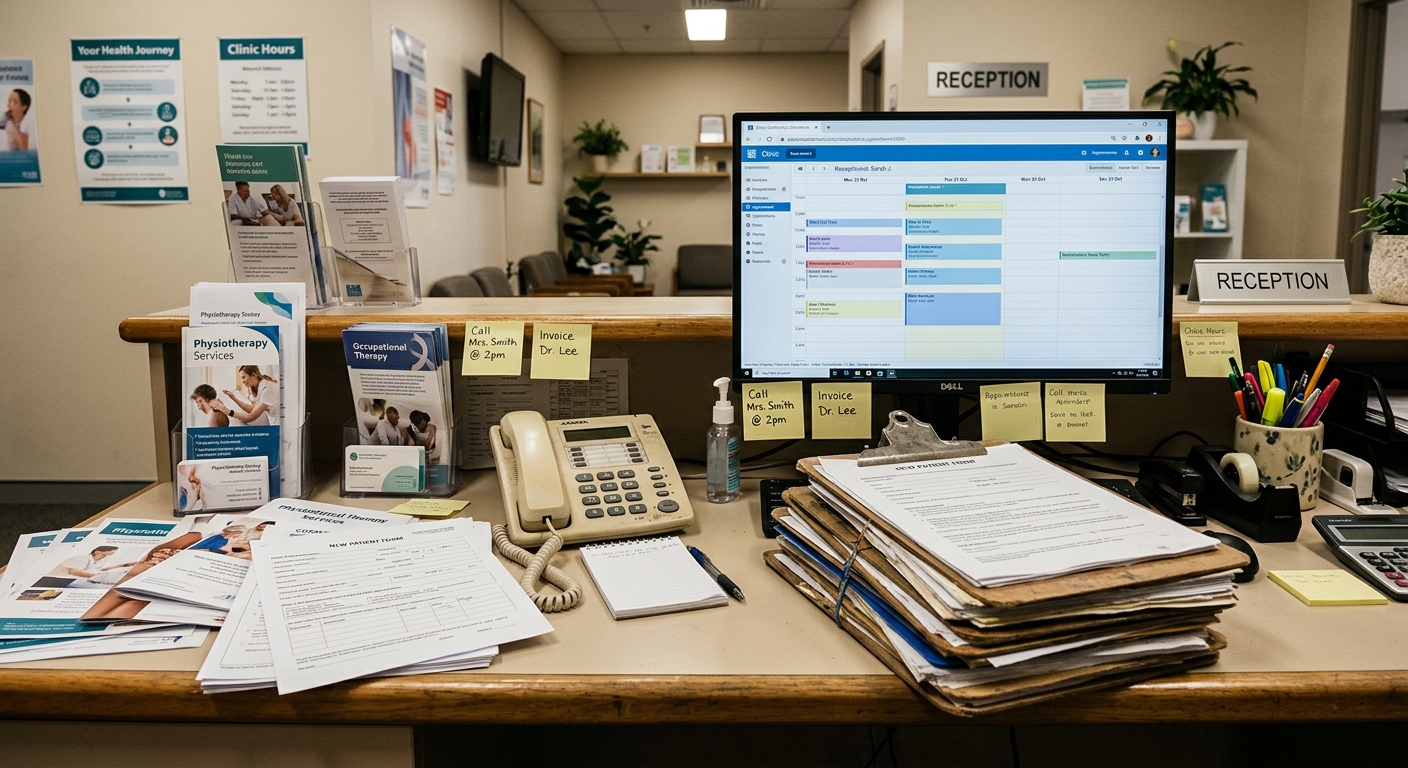
Not a competing product. Not a different digital tool. Paper. Clipboards, printed forms, and a three-step workflow that every allied health clinic knows by heart: hand the patient a form, scan it when they're done, re-key the data into Cliniko.
It works. It has always worked. And at some point, it stops working well enough.
The trigger is different for every clinic. For some, it's a busy Monday morning when three patients arrive at once and the forms pile up on the reception desk, waiting to be scanned and uploaded before the practitioner can see the full picture. For others, it's the new patient who arrives with a clipboard form that's illegible, and the receptionist has to chase them back to the waiting room to clarify what they wrote. For a growing clinic opening a second site, it's realising that the paper process that worked at one location doesn't scale to two.
The question is never whether to go digital. The allied health market has largely accepted that digital patient intake is the future. The question is how, and how to do it without disrupting the clinic operations that are already working.
This guide is for allied health clinic owners using Cliniko who are ready to make that move. It covers what the paper-to-digital transition actually looks like in practice, what to expect during the switch, and what clinics that have already made the move say about the experience on the other side.
What paper actually costs your clinic
Paper forms are free. The workflow around them is not.
The form itself costs almost nothing to print. The cost is in what happens after a patient hands it back. Every paper form creates three manual jobs for your team:
Print or photocopy the form. Someone has to make sure blank forms are stocked, current, and available at the front desk. When a form changes — a new privacy policy, an updated medical history question, a revised consent document — every copy in circulation needs replacing.
Scan the completed form. After the patient fills it in, someone scans it, renames the file, and uploads it to the patient record in Cliniko. At a high-volume clinic, this task alone can consume hours each week. Ed at Precision Chiropractic in Tauranga processes 600 new patients a year. Before Finger-Ink, every one of those forms was scanned, renamed, and manually dragged into Cliniko.
Re-key the data. The scan creates a PDF attachment, but the information on it (patient details, referral source, medical history, consent) doesn't flow into the patient record fields automatically. Someone has to type it in. Names get misspelled. Email addresses get transposed. Medicare numbers get entered with the wrong digit. Every manual transcription is a data quality risk.
At Luke Anthony's clinic in Melbourne, this three-step process was the daily reality before he adopted digital forms eight years ago. Three separate manual jobs per new patient, gone overnight.
Then there's the information you never capture. Paper forms are static. Every patient sees every question, regardless of whether it's relevant to them. A private patient sees NDIS fields. A returning patient fills in their full medical history again. There's no conditional logic, no branching, no way to show each patient only what matters to them. The form is the same for everyone, which means it's wrong for most of them.
The hidden cost: clinical time
The admin burden is visible. The clinical cost is quieter but just as real.
James at J E T Podiatry in the UK estimated that 30% of his patient-related time was consumed by form-related admin: asking medical questions on the spot, scanning, uploading, downloading, and physically storing paper documents. His patients were being put on the spot with medical history questions in person, leading to incomplete or inaccurate answers — particularly when they were anxious about an upcoming procedure.
When he moved to digital forms, 19 out of 20 patients started completing their paperwork before the appointment, at home, at their own pace. Medication lists were more accurate. Medical histories were more complete. And the time James used to spend on admin went back to clinical care.
"It allows for me to focus much more on patients. It allows me to obtain required information and legal information."
— James, J E T Podiatry, United Kingdom
The compliance cost
Paper creates compliance exposure. Consent forms signed on paper need to be stored securely, tracked, and retrievable on audit. Privacy policy acknowledgements are buried in filing cabinets or scanner folders. In the UK, GDPR compliance requires documented evidence that patients consented to data processing. In Australia, My Health Record standards create ongoing pressure toward structured digital documentation.
A digital consent form signed on a screen and synced directly to the patient record in Cliniko is auditable, searchable, and attached to the right patient. A paper form in a box under the reception desk is not.
What digital patient intake actually looks like
The goal is not to digitise paper. The goal is to remove the workflow around it.
Digital patient intake is not a scanned PDF of a printed form. It's a different process entirely.
In a clinic running digital intake, the workflow looks like this: a patient books an appointment. Before they arrive, they receive a link to their intake form. They open it on their phone, tablet, or computer. The form is branded with the clinic's logo and colours. Conditional logic shows them only the questions relevant to their situation — a private patient sees different fields to an NDIS-funded patient. They sign consent digitally. They submit.
Their responses flow directly into the patient record in Cliniko. Not as a PDF attachment. Field by field — patient details, referral source, gender, consent status, custom fields — each piece of data lands where it belongs. When the practitioner opens the appointment, the information is already there. No scanning. No re-keying. No chasing.
For clinics with a waiting room, an iPad on the front desk serves as a check-in kiosk. Patients who haven't completed their forms before arrival do so on the iPad. Patients who have already completed everything check in with a tap and their practitioner is notified.
That's it. The three-step paper workflow (print, scan, re-key) is replaced by a process that runs itself.
What changes for the patient
Patients complete their intake on their own time, on their own device, before they walk in. No clipboard in the waiting room. No time pressure. No illegible handwriting. Progress saves automatically, so a patient who steps away can pick up where they left off.
The experience is visibly different. Cat at True Health Osteopathy in Victoria describes it directly: patients give her unsolicited compliments on the forms. "It's a weird thing to get a compliment on," she says, "but it is something I do get complimented on." The forms look considered, not clinical. Patients don't realise how many questions they're answering because the conditional logic shows them only what's relevant.
"You know how the other forms are ugly? Finger-Ink's, like, better and easier. It's got the if-this-then-that in there. And patients will compliment you on it."
— Cat Ridout, Owner & Osteopath, True Health Osteopathy
What changes for the team
The admin work around paper simply disappears. No printing, no scanning, no renaming files, no manual data entry into Cliniko. For a clinic processing 600 new patients a year, that's 600 instances of a three-step manual workflow eliminated.
For the practitioner, the change is equally significant. At Sarah Colston's nine-practitioner aquatic physiotherapy clinic in Newcastle, the forms process was, in her words, "very haphazard" before the switch. Paper forms, Word documents emailed back and forth, scanned and uploaded manually. The front desk was overwhelmed during peak hours — patients arriving two or three deep, each needing to be checked in and handed a clipboard.
Since moving to digital intake, forms go straight into the patient file. No more typing out patient details and mixing up letters. The kiosk handles check-in during peak windows, so the front desk can focus on the moments that need a human.
"Having it just go straight in, so not having to type it out and mixing up letters… getting it right has been really good."
— Sarah Colston, Owner & Physiotherapist, Newcastle Aquatic Physiotherapy
How to make the switch, without disrupting operations
The technology is the easy part. The transition is about managing change.
Chris Keller-Jackson is a business analyst who was contracted to lead the digital transformation at The Foot Parlour, a podiatry clinic in Manchester. He evaluated vendors, selected Cliniko and Finger-Ink, and managed the implementation. His observation after the project is worth quoting directly: the biggest challenge is often the people, not the systems.
That insight shapes this section. The migration steps below are practical and sequenced to minimise disruption, based on what clinics that have already made the move actually experienced.
Phase 1: Start with one form
The most common mistake is trying to digitise everything at once. Don't. Start with one form, typically your new patient intake form, since it's the highest-volume form and the one with the clearest before-and-after comparison.
Build the digital version with your clinic's branding, conditional logic for different patient pathways, and the field mapping to Cliniko. Test it internally. Send it to a few patients over the first week. Watch how they respond. Adjust the form based on what you learn such as question order, visibility rules, consent wording.
Once you're confident the new patient form is working reliably, move on to the next one: consent forms, privacy policy acknowledgement, or discipline-specific questionnaires. The Foot Parlour took this phased approach. Within a week of running the trial in a live clinic environment, the team trusted the new setup to run without paper.
Phase 2: Send forms before the appointment
The highest-impact operational change is getting forms completed before the patient arrives. Send the form link as part of your appointment confirmation or reminder sequence. Patients complete it at home, on any device, at their own pace. By the time they walk in, the data is already in Cliniko.
Jody at Orthotics NZ integrates form delivery with her appointment booking workflow: forms are sent at booking, again four days before the appointment, and a final reminder one hour before. Most patients complete the form before arrival. A minority need the iPad in the clinic as a fallback. Paper forms are kept on hand for the rare patient who cannot use a digital form — but that's the exception, not the rule.
This single change, pre-appointment form completion, eliminates the waiting room bottleneck. Patients aren't filling in clipboards while their appointment time ticks away. Practitioners aren't starting sessions without the full picture. The front desk isn't chasing incomplete paperwork between patients.
Phase 3: Set up the kiosk (if your clinic has a waiting room)
If your clinic has a reception area or waiting room, an iPad on the front desk serves as a patient check-in point and a form-completion fallback. Patients who completed their forms at home check in with a tap. Patients who didn't complete their forms do so on the iPad before their appointment.
The iPad runs a native iOS app, not a browser tab, with offline resilience. If your Wi-Fi drops, forms queue locally and sync when the connection returns. The iPad locks into kiosk mode via Apple Guided Access so patients can't navigate away.
Not every clinic needs this. Cat at True Health Osteopathy runs a solo practice from the front of her home with no waiting room. She uses forms only, sent to patients before their appointment. Ed at Precision Chiropractic has a full front desk team and deliberately chooses the human welcome over kiosk check-in. The kiosk is a tool, not a requirement.
Phase 4: Retire the clipboard
This is the moment most clinics find surprisingly unremarkable. Once your digital forms are live and your team has seen them work for a few weeks, paper becomes redundant naturally. You don't need to make an announcement or set a date. The clipboard just stops being picked up.
Keep a small stock of paper forms for the occasional patient who genuinely cannot use a digital form. James at J E T Podiatry sees patients in care homes and private practice — his demographic skews older. His experience over five years is direct: even a 104-year-old patient completed a digital form without assistance. The barrier to digital forms is lower than most clinics expect.
"Even a 104-year-old managed to do it for me."
— James, J E T Podiatry, United Kingdom
What to look for in a digital patient intake solution
Not all digital forms are digital intake.
Google Forms is digital. JotForm is digital. Cliniko's built-in forms are digital. They all collect patient information electronically. None of them solve the full problem.
The difference between a digital form and a digital intake solution is what happens after the patient clicks submit. Does the data flow into the patient record automatically, or does someone still have to re-key it? Does the form match your clinic's brand, or does it look like a generic survey? Can the form adapt to different patients, or does everyone see every question?
Here is what matters when evaluating a digital patient intake solution for an allied health clinic on Cliniko.
Deep PMS integration, not just a PDF attachment
The form response needs to land in the right fields in Cliniko — custom patient fields, referral sources, gender, consent status, emergency contacts, Medicare details. Field by field, not as a PDF you have to open and transcribe. A digital form that creates a PDF attachment in Cliniko has eliminated scanning but not re-keying. You're still doing half the manual work.
Conditional logic
Different patients need different questions. An NDIS-funded patient sees NDIS plan fields. A private patient does not. A new patient gets the full intake. A returning patient skips what you already have. Without conditional logic, digital forms are just digital paper — the same static list for everyone.
Branded, professional design
Your clinic has invested in its space, its brand, and its standard of care. A patient intake form that looks like a data entry sheet undermines that investment. Branded forms with your clinic's logo, colours, and visual style tell patients you've thought about every part of the experience. Every interviewee in our research programme — across physiotherapy, chiropractic, osteopathy, and podiatry — cited professional appearance as a top-three decision factor when choosing a digital intake solution.
Clinical depth
Allied health intake is not a name-and-address exercise. Physiotherapy clinics need body charts for MSK assessment. Psychology practices need auto-scored outcome measures. Podiatry clinics need foot-specific assessment fields. Chiropractic clinics need detailed medical history with consent for spinal manipulation. A generic forms tool doesn't know what a body chart is. A purpose-built solution does.
Offline resilience
If your forms run in a browser tab on an iPad, a Wi-Fi interruption means lost data. A native app with offline queuing means forms submit when the connection returns. They never fail silently. For clinics running a kiosk in a waiting room where connectivity can be intermittent, this is not a nice-to-have.
Set and forget reliability
The intake system should run itself. Once your forms are built and mapped, they should work without daily maintenance, without troubleshooting, and without someone on your team having to think about them. Luke at Richmond Rehab hasn't logged into his Finger-Ink portal in six months. There's been nothing to fix. Ed at Precision Chiropractic has been running essentially the same configuration for eight years. This is what "set and forget" means in practice.
"I'd rather pay for two specialist subscriptions than put a clunky form in front of a patient."
— Luke Anthony, Owner & Principal Physiotherapist, Richmond Rehab
Clinics that made the move from paper to digital
Precision Chiropractic - Tauranga, New Zealand
Ed runs a three-practitioner chiropractic clinic processing 600 new patients a year. Before Finger-Ink, every new patient form was paper: printed, filled in on a clipboard, scanned, renamed, and manually uploaded to Cliniko. The front desk team spent significant time on filing and scanning tasks that added no clinical value.
When the clinic moved to digital intake, that entire workflow disappeared. New patient forms are completed on an iPad and sync directly to Cliniko. ACC evaluation forms and informed consent documents are handled digitally. The front desk team is freed to focus on patient-facing interactions instead of administrative filing. Ed has been running essentially the same configuration for eight years. He has personally referred multiple chiropractors to Finger-Ink, primarily those making the transition from paper to digital systems.
"It just does what we want it to do without causing the headaches."
— Ed, Owner, Precision Chiropractic, Tauranga
J E T Podiatry - Portsmouth, United Kingdom
James is a podiatrist working across a private clinic and four care homes. His patient demographic skews older. Before digital forms, he estimated 30% of his patient-related time was consumed by form admin: running through medical questions in person, scanning documents, uploading, downloading, and physical storage. Patients were being asked medical history questions on the spot, often while anxious about an upcoming procedure, leading to incomplete and inaccurate information.
Five years on, 19 out of 20 patients complete their forms before the appointment. Care home staff submit medical and consent information through persistent, shareable form links before James arrives, sometimes he sees new patient names in Finger-Ink before the care home has formally told him about a referral. The 30% of time consumed by admin has been reclaimed for clinical care.
"This looks really professional. This looks really quite nice."
— James, J E T Podiatry, United Kingdom
Newcastle Aquatic Physiotherapy - Newcastle, Australia
Sarah took over a 20-year-old physiotherapy practice and inherited a "very haphazard" intake process: paper forms, Word documents emailed back and forth, scanned and uploaded manually. The front desk was overwhelmed during peak hours, with patients arriving two or three deep, each needing to be checked in and handed a clipboard.
The move to digital intake eliminated the scanning and manual upload workflow. Forms sync directly to patient files in Cliniko. The kiosk handles check-in during peak windows. And clinicians now use iPads with Finger-Ink forms during patient sessions for outcome measures. The product has become a clinical tool, not just an administrative one.
"The kiosk was a big game changer."
— Sarah Colston, Owner & Physiotherapist, Newcastle Aquatic Physiotherapy
What clinic owners actually worry about
What about patients who can't use digital forms?
Keep a small stock of paper forms as a fallback. In practice, the number of patients who genuinely cannot complete a digital form is smaller than most clinics expect. James at J E T Podiatry has a patient demographic that skews older, including patients in care homes, and a 104-year-old completed a form without assistance. In the UK, patients recognise the interaction pattern from NHS GP surgeries. The learning curve is minimal.
Will the transition disrupt my clinic's daily operations?
Not if you phase it. Start with one form. Run it alongside paper for a week. Once your team trusts it, expand to the next form. The Foot Parlour in Manchester ran a phased digital transformation with an external consultant managing the rollout. Within a week, the team trusted the digital system to run without paper. The technology was the easy part. The harder transition was human: clinicians adjusting to digital notes, staff adjusting to new workflows. Phase it, and the disruption is manageable.
How long does setup actually take?
Most clinics connect to Cliniko within ten minutes and are running their first form within an hour. Building and branding your full form set takes longer depending on complexity, but you can start from templates. If you'd rather not build forms yourself, the Finger-Ink team can build them for you. Sebastian at PHYX was operational in about an hour. Chris at The Foot Parlour described setup as straightforward and quick.
What if I'm not technically confident?
Sarah at Newcastle Aquatic Physiotherapy describes herself as a "very good physio" who is still learning the business and technology side. She was candid about finding initial setup challenging, and she relies on Brendan, Finger-Ink's founder, to help configure complex forms. The support is direct, responsive, and personal. You do not need to be technical to use the product but if you hit a wall, you're not on your own.
Is my patient data secure?
Finger-Ink is HIPAA ready and encrypts all data in transit and at rest. Patient health information is handled with the same standard of care you'd expect from any system touching clinical data. Digital forms are more secure than paper forms in a filing cabinet. The data is encrypted, access-controlled, and attached to the patient record rather than sitting in an unlocked drawer.
How much does it cost?
Pricing is per-practitioner, with plans to suit clinics of all sizes. The subscription costs less than the time your team currently spends scanning and re-keying paper forms each month. You can see the full pricing breakdown on the pricing page. Every plan starts with a free trial, no credit card required.
Paperless intake is half the story
You've replaced the clipboard. Here's what comes next.
Forms that go deeper than basic intake
Once your intake is digital, you'll find there's more your forms can do. Branded themes with your clinic's visual identity. Body charts for clinical assessment. Calculation fields that auto-score outcome measures. Video fields for patient education. Digital signatures for policy consent. Conditional logic that adapts every form to every patient. These are the capabilities that Cliniko's native forms don't have, and they're the reason clinics that start with basic digital intake end up upgrading to Finger-Ink.
Read the complete Cliniko patient forms guide →
A front desk that runs itself
If your clinic has a waiting room, the same iPad that collects patient forms can serve as a check-in kiosk. Patients arrive, check in, and notify your practitioner, without anyone at the front desk. Some clinics use the kiosk to extend coverage during unstaffed hours. Others use it to replace the receptionist role entirely. The forms you've already built work on the kiosk without any extra setup.
Learn more about the digital receptionist →